
Creative Automation
Design a banner template once and let your marketing and growth teams generate hundreds of on-brand variations, across product categories, languages, and A/B tests, without pulling in a designer for every change.
Create reusable design templates in ImageKit
Build banner templates visually with a layer-based editor. Control typography, colors, layout, positioning, and crop behavior in one design system - then reuse these templates across campaigns, categories, and teams.

Lock your brand, vary only what matters
Choose which layers and inputs teams can edit, and keep everything else fixed. Enforce fonts, colors, logos, and layouts at the template level so every generated asset stays on-brand by default.

Generate variants from the UI or via CSV
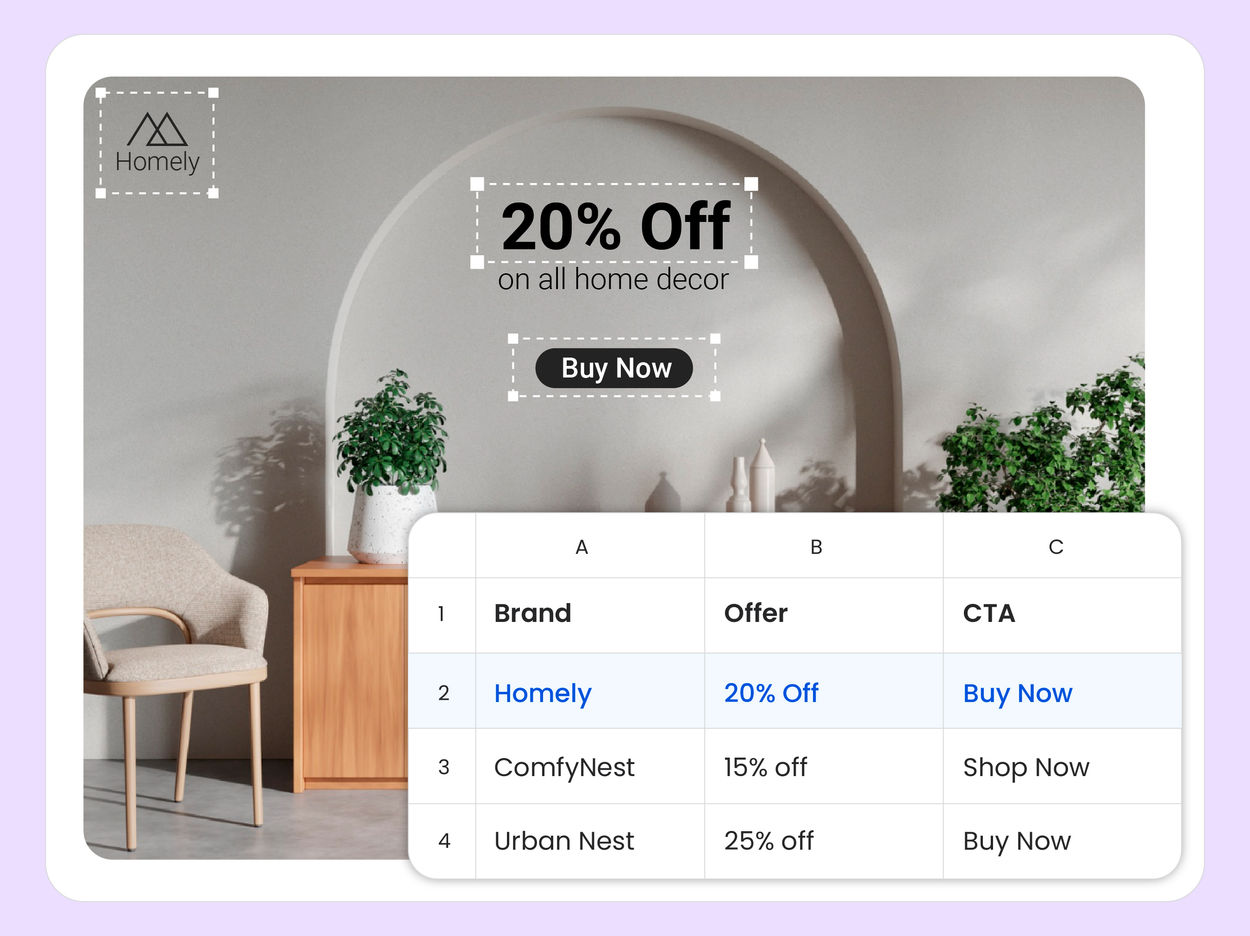
Populate template variables directly in the UI for ad-hoc campaigns, using assets from your DAM. For high-volume workflows, upload a CSV, map it to template variables, and generate thousands of on-brand creatives in a single batch.
Accelerate your workflow with AI Assist
Use plain-language prompts to spin up new template inputs from existing ones, with brand voice and template rules enforced automatically.
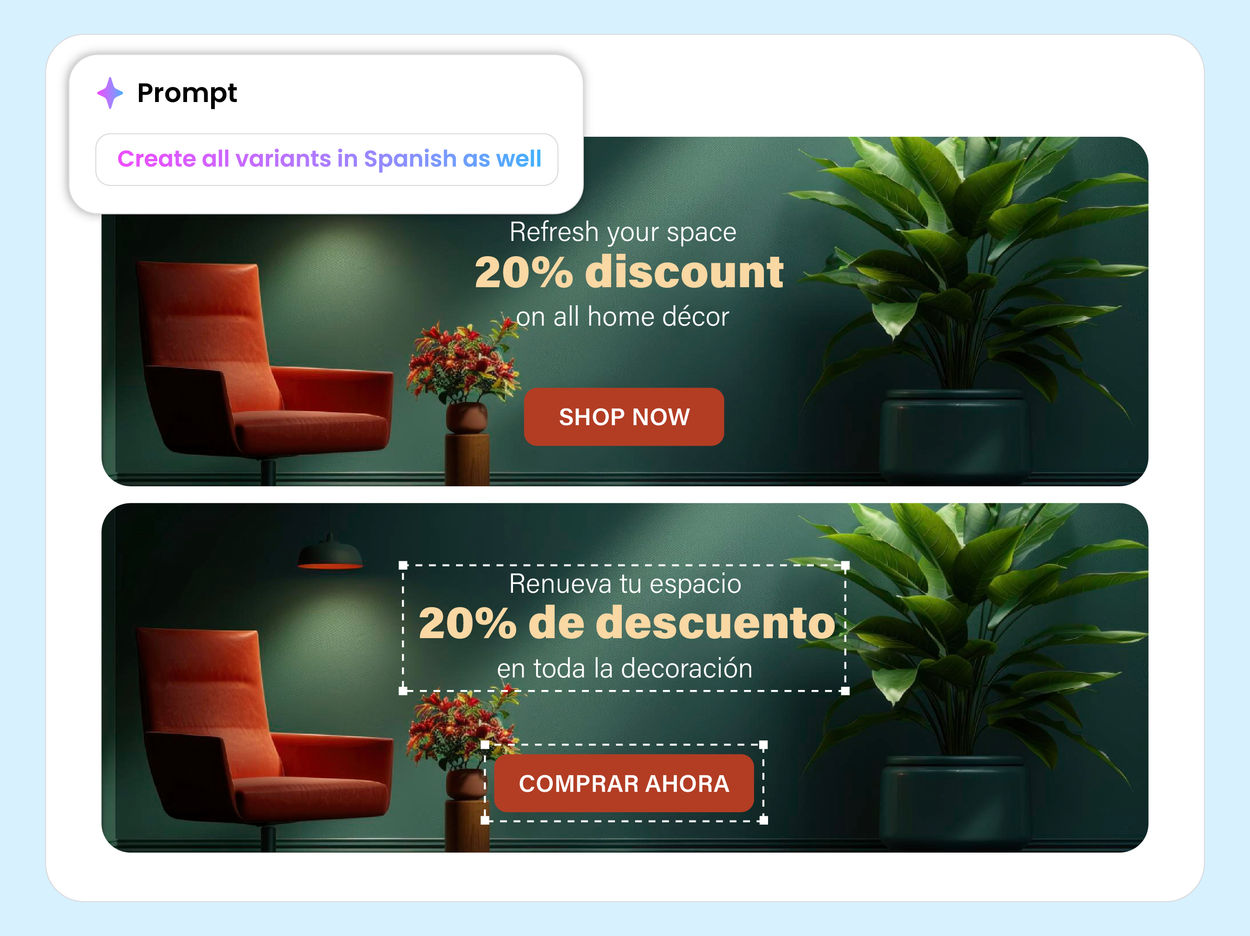
Translate existing template rows into target languages with a single prompt. Launch region-specific campaigns faster, without separate design or copywriting cycles for every market.

Export to your DAM. Deliver instantly via CDN.
Review generated outputs, add tags and metadata, and export them into your governed DAM in one workflow. Each asset gets an optimized, CDN-backed URL, so teams can publish across websites, apps, email, and ad platforms without extra handoffs.
