
Stream high-quality videos to every user, everywhere
Adaptive bitrate, real-time transforms, and edge-level security keep your audience watching while ImageKit handles the heavy lifting.
Adaptive bitrate streaming for videos
Adaptive bitrate streaming improves playback for users on slow or fluctuating networks. It lets the player seamlessly switch between different quality levels based on real-time network conditions, minimizing buffering and ensuring a smooth experience.
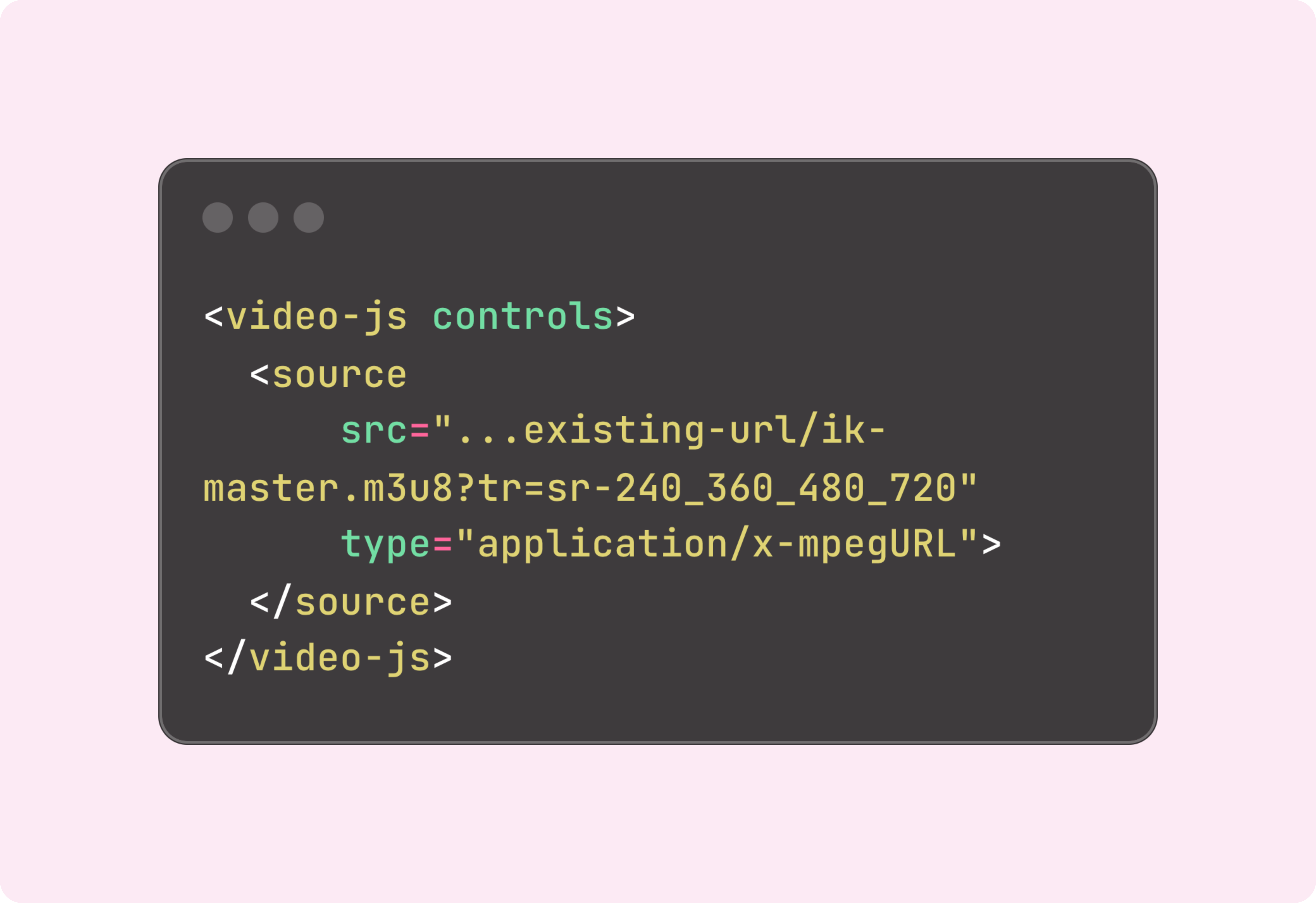
With ImageKit, enabling this is effortless. Just add one parameter to your video URL, and ImageKit delivers an adaptive HLS (.m3u8) or DASH (.mpd) stream. The manifest and renditions are generated on the first request—no pre-encoding, extra storage, or pipeline setup required.
A ready-to-use, AI-powered video player
ImageKit's Video API works with any video player. But when you need one out of the box, ImageKit includes an AI-powered player with adaptive streaming support that's easy to customize.
- AI-generated subtitles: Add automatic transcription in 100+ languages with word-level highlighting.
- Auto-generated chapters: Let viewers jump to key moments with chapter markers placed on the progress bar.
- Playlists and recommendations: Queue videos in a scrollable playlist and recommend what to watch next.
- Shoppable videos: Add product sidebars, timed product highlights, and links to product pages.
- Floating player: Keep video visible as users scroll, helping maintain engagement.

Built-in video analytics
Video Analytics is built right into ImageKit's video player - no third-party integrations.
- Understand viewer engagement: See total views, total users, playback completion and audience retention curves.
- Monitor quality of experience: Track page load, startup times, seek latency, rebuffering, and delivered bitrate.
- Track custom dimensions: Like app version, video category, A/B test bucket, or subscription tier and send values from the player - no pipeline changes needed.
- Filter or group any metric: By viewer, client, device, geo, video, and even your own custom dimensions.
- Capture errors with context: Automatically report playback errors with code, message, and context.

Automatic format conversion & compression
ImageKit intelligently selects the most efficient codec—AV1, VP9, or H.264—based on the viewer’s device capabilities. It also compresses videos to reduce bandwidth usage without compromising visual quality. You can override this behavior globally or per URL.
This allows you to use the HTML5 video tag and enable progressive streaming on existing video URLs.

Resize, crop, and transform in real time
In a traditional workflow, a layout change means re-encoding your entire library to new dimensions—hours of compute, extra storage, and a long backlog.
With ImageKit, you maintain a single master video. Just add parameters like height, width, crop, or overlay in the URL, and the new variant streams instantly—no batch processing or asset duplication needed.
Smart crop with AI-powered focus tracking
Automatically reframe videos to keep faces, people, or specific objects in focus throughout playback. This eliminates manual editing when adapting content for different aspect ratios.
Use face detection, automatic smart crop, or target any of 80+ supported objects like person, car, or dog. Just add a URL parameter, and ImageKit tracks your subject across every frame.
Generate video posters
Create and transform video thumbnails from any frame of your video. Pair with preload=none so only the thumbnail is fetched initially, while the full video streams only after the viewer clicks play.
Create previews
Generate short video previews from your original video by adding transformation parameters to the URL. Ideal for hover previews, video carousels, and enhancing user interaction.
Global video delivery at scale
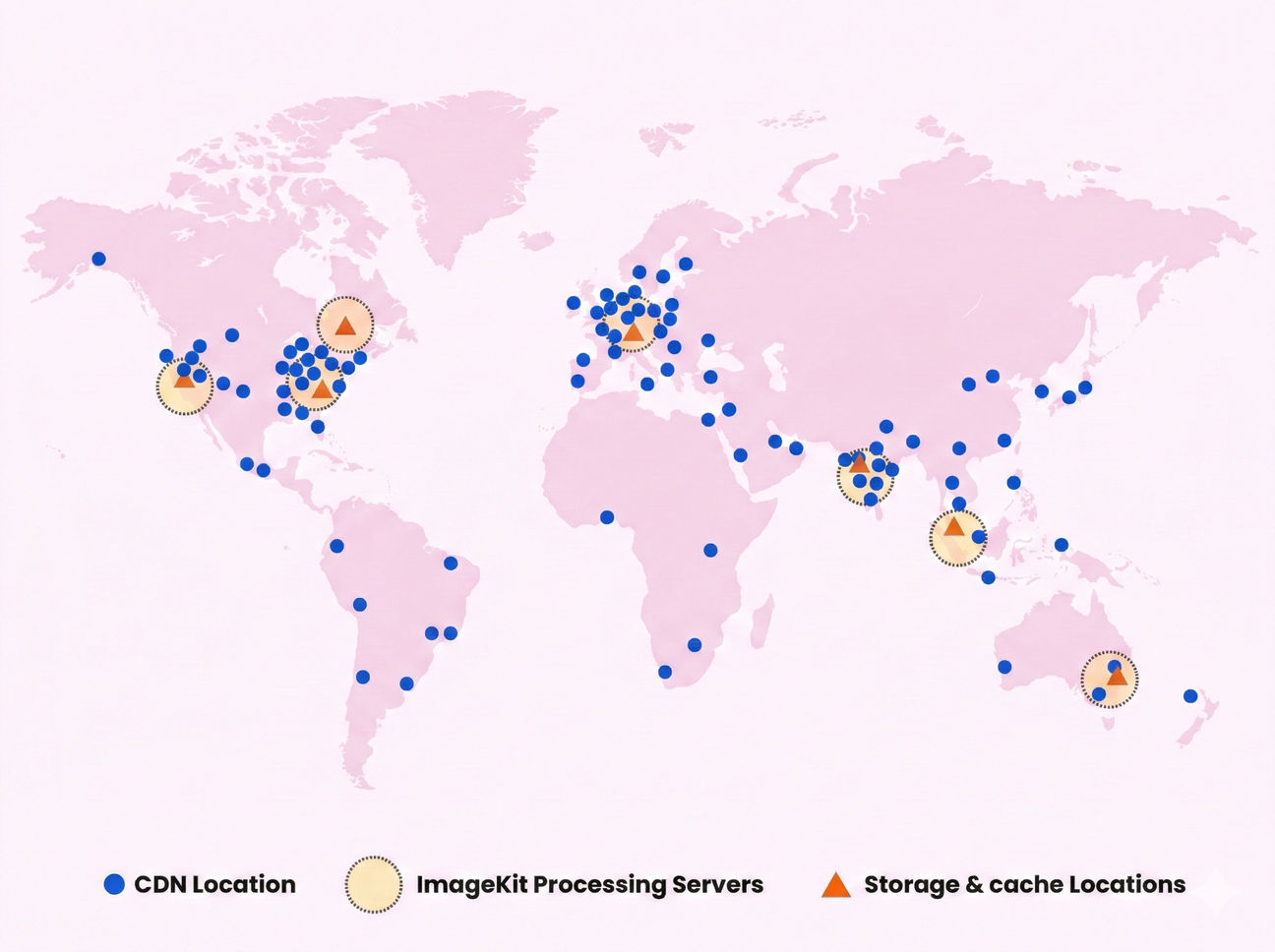
Videos are streamed through 700+ AWS CloudFront PoPs, ensuring ultra-fast first-frame load times—no matter where your users are.
Secure streaming out of the box
Protect premium content with expiring Signed URLs, restrict unapproved edits via named transformations, and block unwanted traffic using our built-in Web Application Firewall (WAF).
Generate time-limited links or restrict access to authenticated users only.