
The DAM your team and your AI agents can both run
Every file your brand uses, tagged by AI in your business's vocabulary. Find easily, govern access, integrate via MCP and APIs, and publish straight to the web — without the complexity or cost of a traditional enterprise DAM.
See how ImageKit DAM works in 2 minutes

AI Tasks for tagging and metadata
See how to use ImageKit's AI Tasks to automatically tag and classify assets in your DAM, making them instantly searchable and organized.
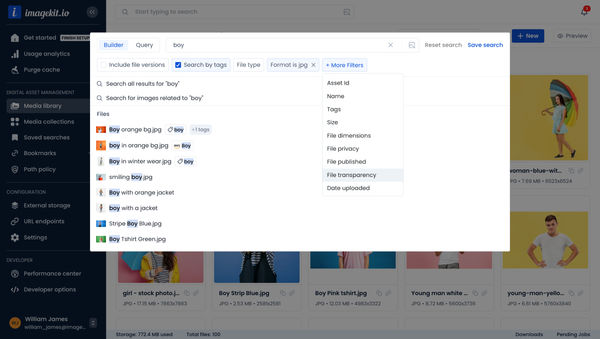
Search Assets in DAM
Find assets quickly with powerful search capabilities including filters, tags, metadata, and AI-powered visual search.
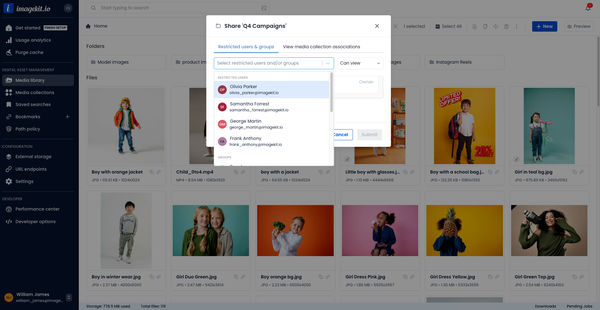
Access Control and Sharing in DAM
Manage access to your assets and media collections for better control and collaboration.
Store everything. Scale globally.
Centralize images, videos, documents, and rich media in ImageKit's secure, cloud-native Digital Asset Management solution - and even generate new images using text prompts, directly within your DAM.
Start with a free plan and seamlessly scale to enterprise-grade capabilities as your content, users, and workflows expand.
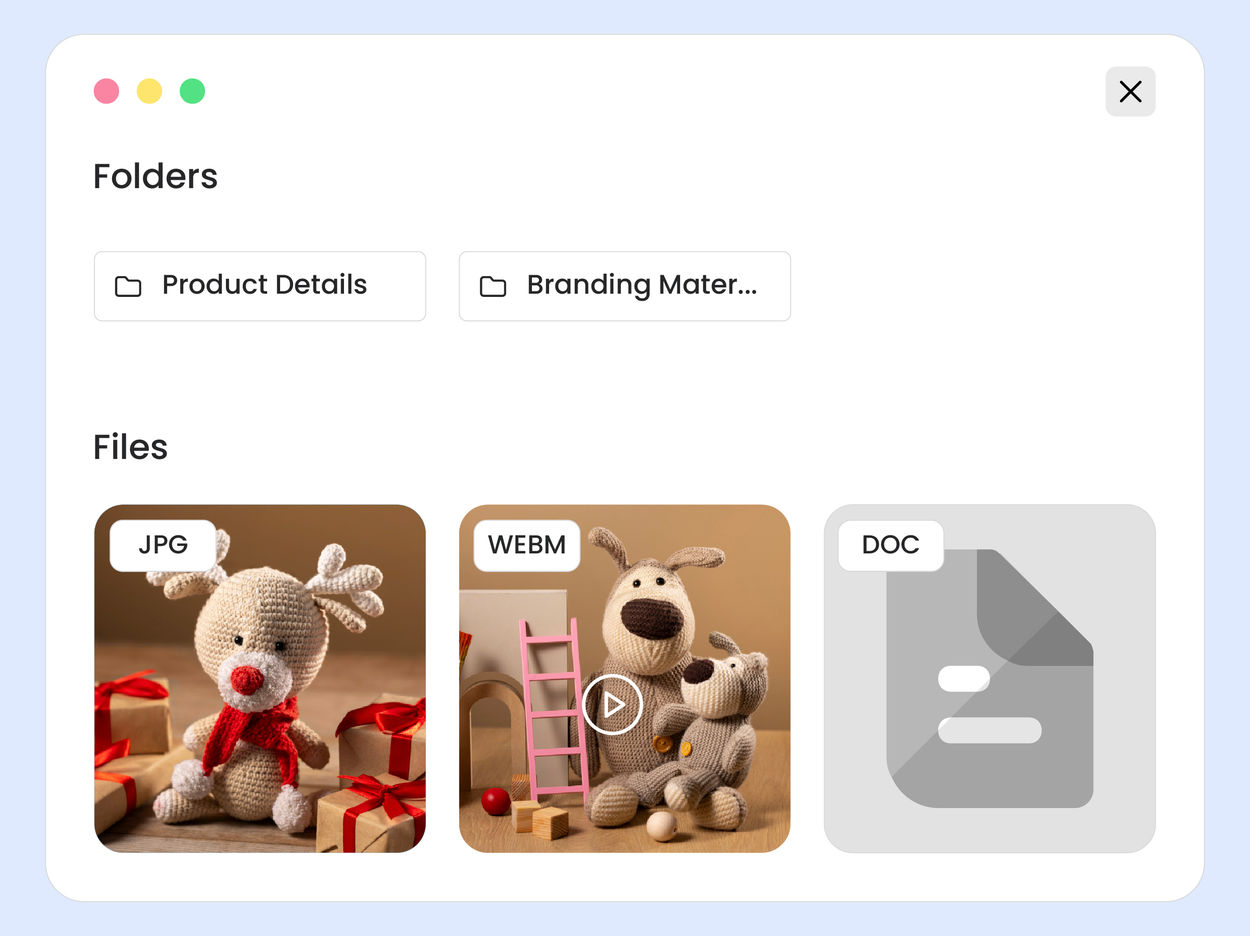
Organize intelligently using LLMs
Keep every asset structured, searchable, and ready for use, no matter how large your library grows.
Configure AI tasks in natural language to extract exactly what your business needs from an asset. Ask: "What is the collar type of this T-shirt?" "Is this the interior or exterior of the car?" The LLM analyzes the image and returns structured metadata fields or tags - ready to power search, filters, and workflows.


Find exactly what you need instantly
Search across your entire DAM using powerful filters or AI-driven discovery.
Use powerful filters across tags, custom metadata, file type, size, dimensions, dates, and more. Combine filters using advanced logic to narrow results with pinpoint accuracy. Save frequently used searches to instantly access updated results and streamline repeat workflows.


Collaborate securely with full control
Assign View, Update, or Manage permissions to individuals or teams to grant limited access to sensitive assets.



Asset governance and control
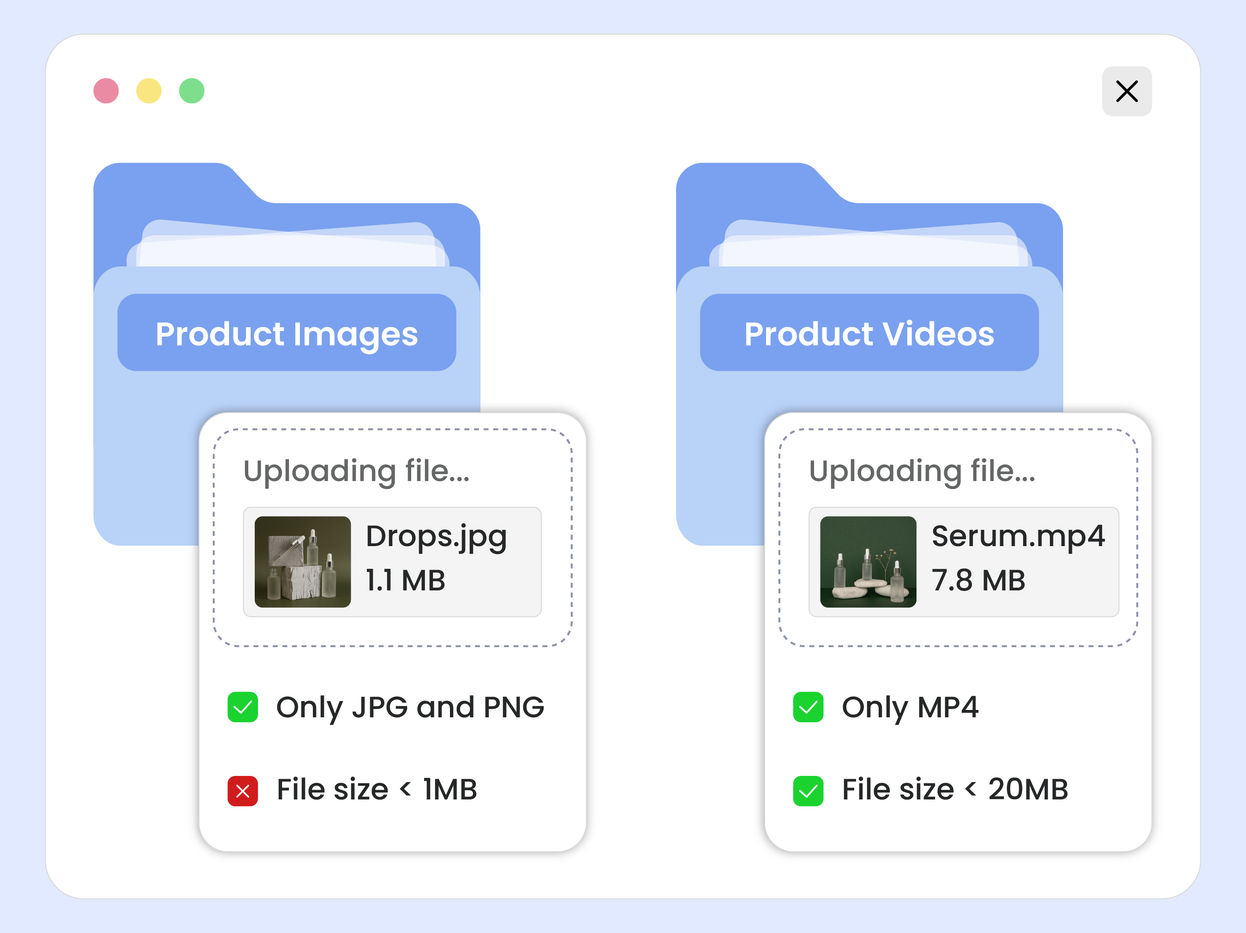
Maintain structure, enforce standards using Path Policies, and track every action across your DAM.
Define allowed file types, size limits, naming conventions, and other checks on file upload. Apply folder-specific metadata requirements to maintain structure across teams and projects so your library stays clean, consistent, and production-ready from day one.


Scale asset operations with the built-in DAM agent
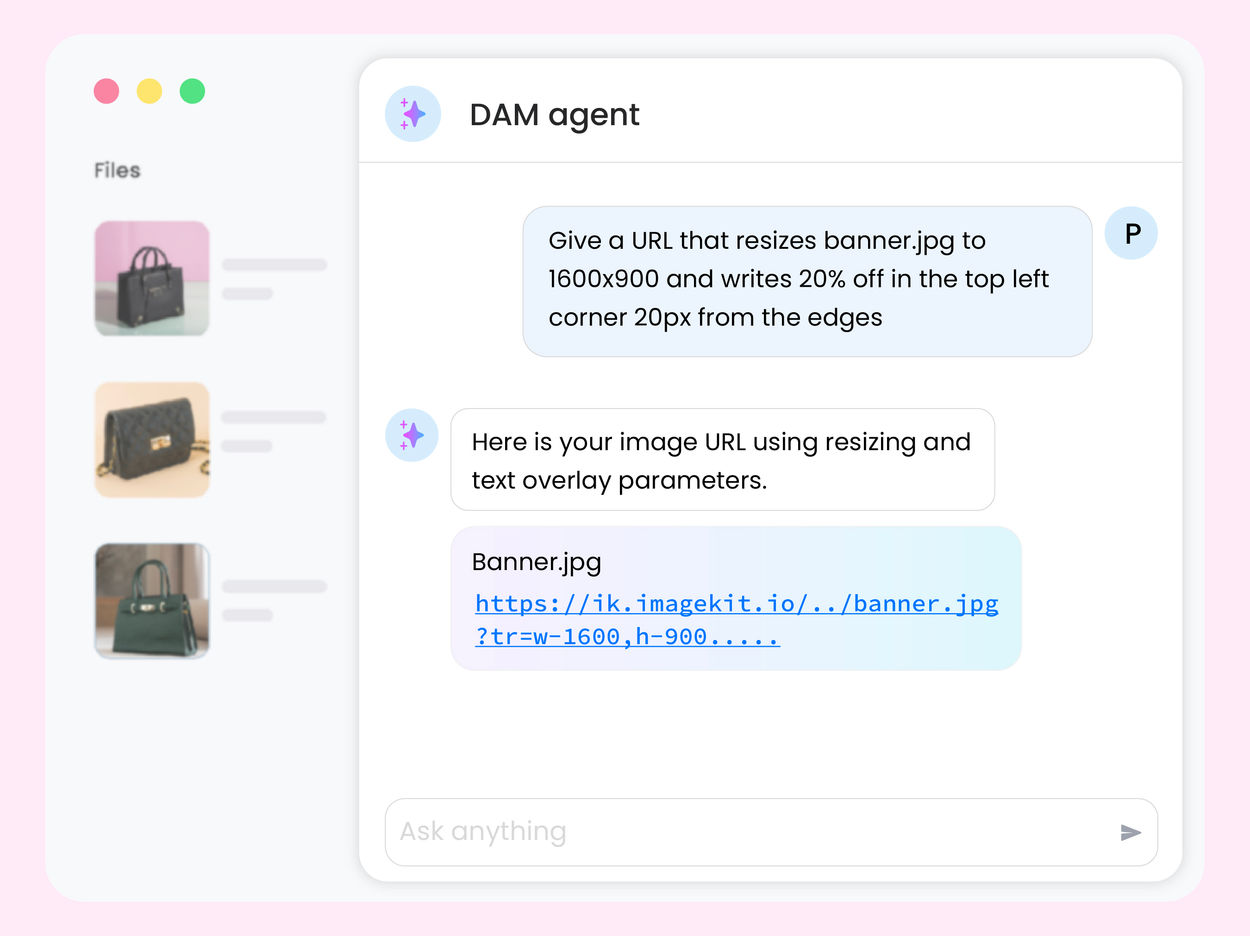
A single, permission-aware agent to discover assets, manage metadata and taxonomy, enforce governance policies, and execute multi-step asset management workflows at scale - within the ImageKit DAM.
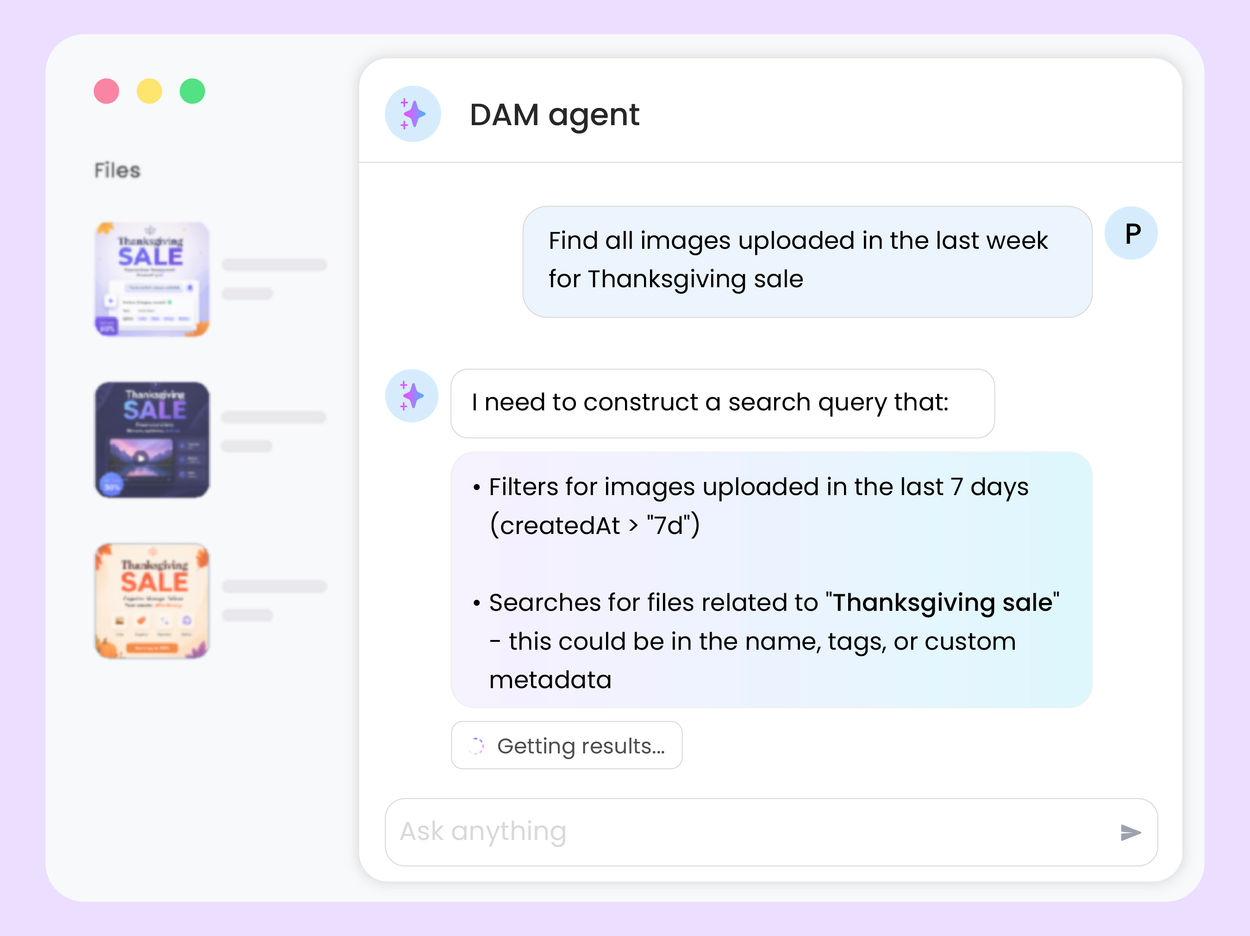
Find assets using natural language prompts. The agent translates your request into a search across file names, tags, metadata, and even surfaces visually similar assets using AI-powered visual search.



Connect ImageKit DAM to your AI assistants
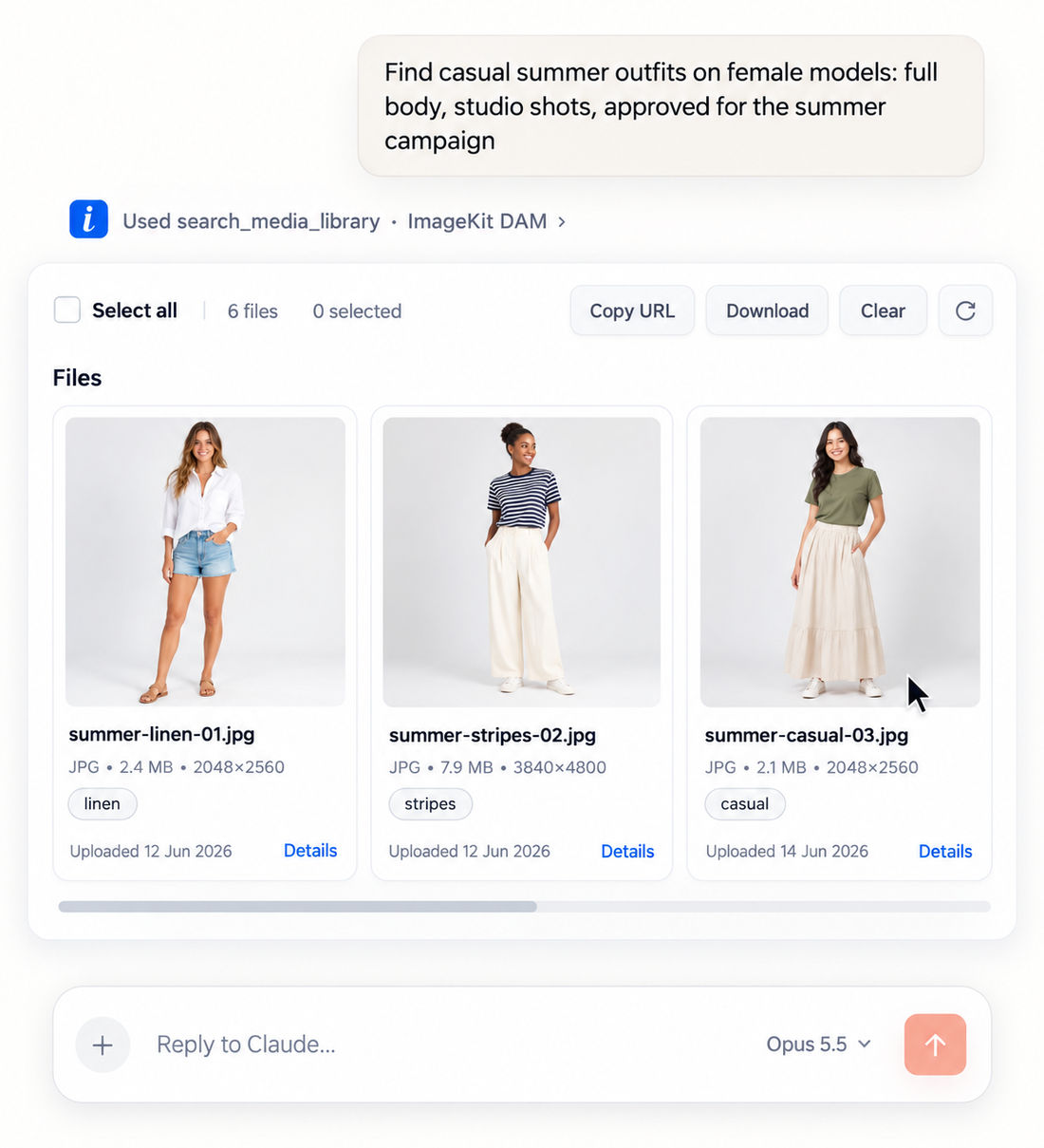
The hosted DAM MCP server lets Claude, Cursor, VS Code, and Copilot work directly in your media library, scoped to each user's own permissions.
- Manage — Search in plain English, like "summer outfits, full body, studio shots".
- Create — Turn "Adidas t-shirt banner, 50% off" into on-brand banners using approved assets.
- Govern — Flag expired rights, missing alt text, and bad file names. Fix after review.
- Publish — Update your site's gallery with approved assets from Cursor or Claude Code.
Creative Automation
Make thousands of on-brand banners without waiting on a designer for every variant.
Designers build master templates with brand fonts, colors, and locked layouts as the single source of truth. Teams swap text, products, prices, or images in the UI — or upload a CSV to generate thousands of variations in one batch. Every output lands straight in your DAM, auto-tagged and versioned, instantly searchable for the next campaign.

Built-in media processing and web delivery
Unlike legacy solutions, ImageKit DAM doesn't stop at storage.
Resize, transform, optimize, personalize, and stream images and videos in real time, and publish directly to the web with integrated CDN delivery and adaptive streaming.
Seamlessly integrate with your stack
