
DAM Agent
Manage your media library through natural language with DAM Agent, an AI assistant that searches, tags, organizes, and operates on assets for you.
How to manage, organize, create, and edit assets with the DAM Agent
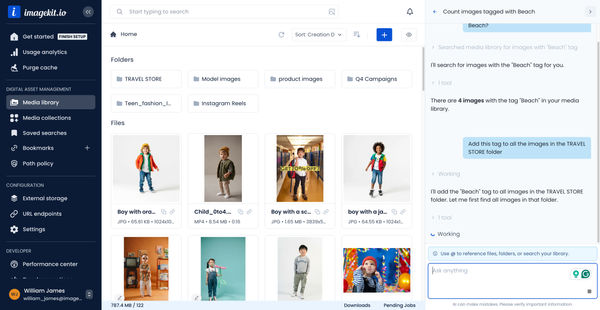
- Meet your DAM Agent inside the ImageKit dashboard, a multipurpose assistant that helps you manage, organize, create, and edit assets through simple conversation.
- Search your media library in natural language using a prompt such as 'find all images tagged with a specific keyword', and the agent brings back the matching assets in seconds.
- Take action on what the agent found by asking it to bulk tag the assets in a folder, for example 'add this tag to all images in this folder', instead of opening each one manually.
- Approve the change when the agent asks for confirmation, and the tags are applied to the selected assets instantly.
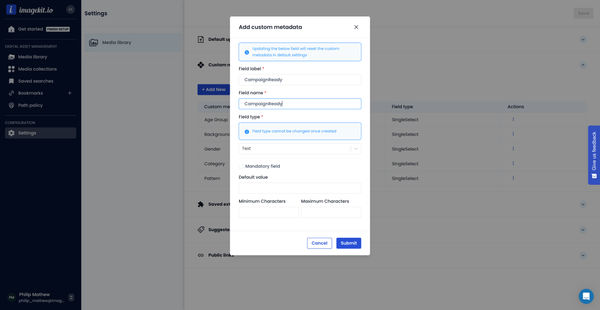
- Update custom metadata across assets with a prompt such as 'update this metadata field for all images in this folder', then approve to keep your assets organized and searchable.
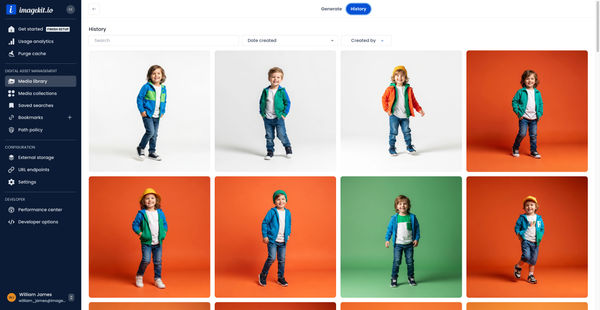
- Generate a new visual for a campaign by describing what you need, for example 'generate an image of …', using ImageKit AI without leaving your media library.
- Review the generated image and its asset parameters, then approve to save it directly to the right folder, with no extra downloads or manual uploads.
- Edit an existing image from your media storage by describing the change you want, such as 'change the background of this image to …'.
- Watch the image get edited within seconds using ImageKit's URL-based transformations and image editor behind the scenes.
- Run advanced creative workflows by asking the agent to create an AI task, for example 'create an AI task that analyzes an image, adds custom vocabulary tags, and generates a description'.
- Refine the generated tags by prompting the agent or providing a predefined list that matches your business needs, then approve the task.
- Select an image and ask the agent to apply the AI task, and it analyzes the image, adds relevant custom vocabulary tags, and generates a clear description.
- Ask the DAM Agent how to perform a specific action and get step-by-step guidance without searching through docs or waiting for support.
Explore More Demos
DAM Agent
Manage your media library through natural language with DAM Agent, an AI assistant that searches, tags, organizes, and operates on assets for you.
Upload Assets to ImageKit DAM
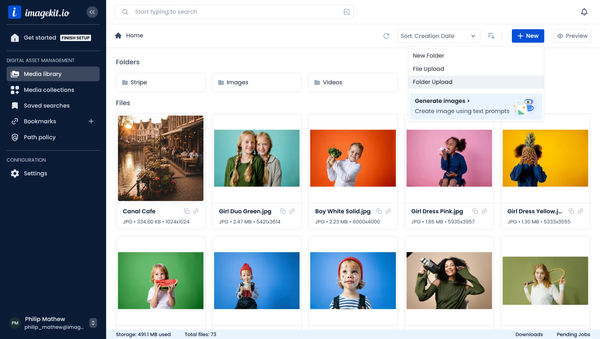
Easily upload and manage your assets in ImageKit's DAM with support for bulk uploads, drag-and-drop, and multiple file formats.
Generate Images with AI
Use AI-powered image generation to create stunning visuals, extend images, and generate backgrounds automatically.
Custom Metadata In ImageKit DAM
Structure and organize your media library with custom metadata fields for easy asset discovery and management.

AI Tasks for tagging and metadata
See how to use ImageKit's AI Tasks to automatically tag and classify assets in your DAM, making them instantly searchable and organized.
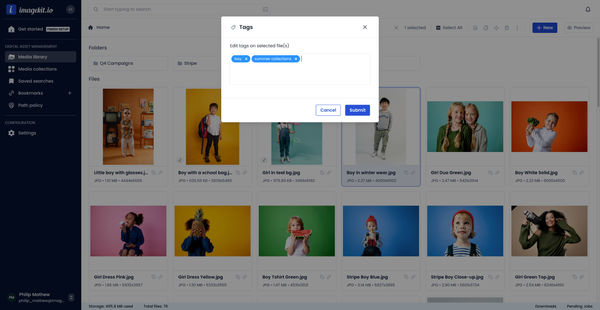
Manual and Standard AI Asset Tagging
Use Google and AWS AI services to tag and categorize your assets to make them instantly searchable and properly organized.